

How does the share registry work?
The share registry is your group's official record of who owns what: current holdings, every change ever made (with prices), and the paperwork around sales and exits. It lives at the bottom of the Members page and is visible to every member; recording changes is for admins and owners.
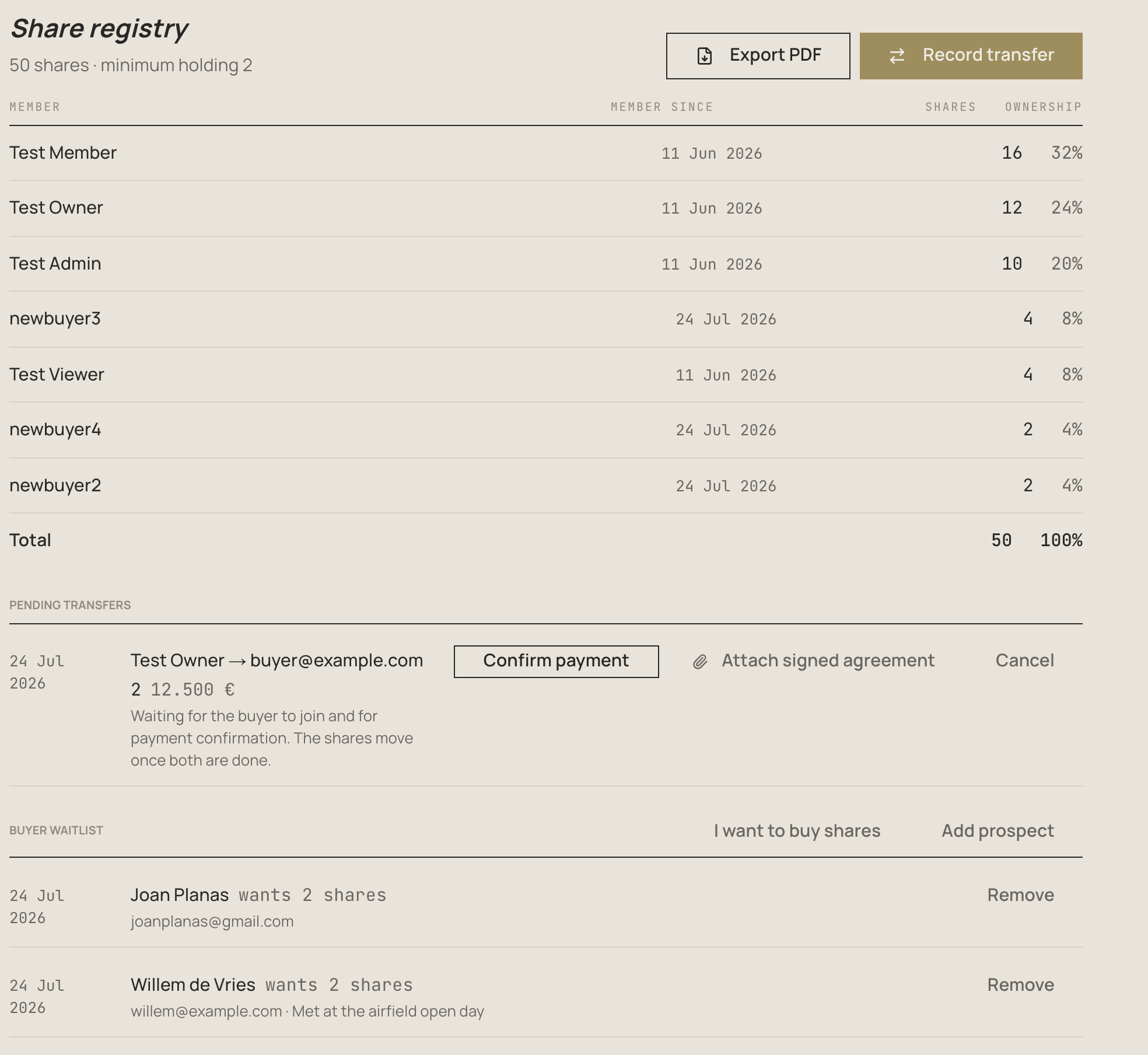
Setting it up
- Go to Group Settings → Financial Settings → Ownership Mode
- Choose Shares and set the total number of shares (for example 50)
- Optionally set a minimum holding — the fewest shares a member may keep. Selling everything (down to zero) is always allowed; keeping fewer than the minimum is not
Groups that prefer percentages can stay in percentage mode; the registry works the same way, just without share counts.
Selling shares
The usual path when someone wants out: the seller brings a buyer. The group does not buy shares back.
- Click Record transfer
- Pick the seller — if they still owe the group money, a warning shows so you can settle that first
- Pick the buyer:
- an existing member, or
- someone from the buyer waitlist (their email is prefilled), or
- Invite a new buyer by email — an existing Kai user is added to the group and receives the shares immediately; a new email gets an invitation and the shares move automatically the moment they join
- Enter the number of shares, and optionally the price, effective date and a note
- Leave Hold shares until payment is confirmed on (it is on by default for outside buyers): the shares only move once you click Confirm payment on the pending transfer — before or after the buyer joins, both orders work
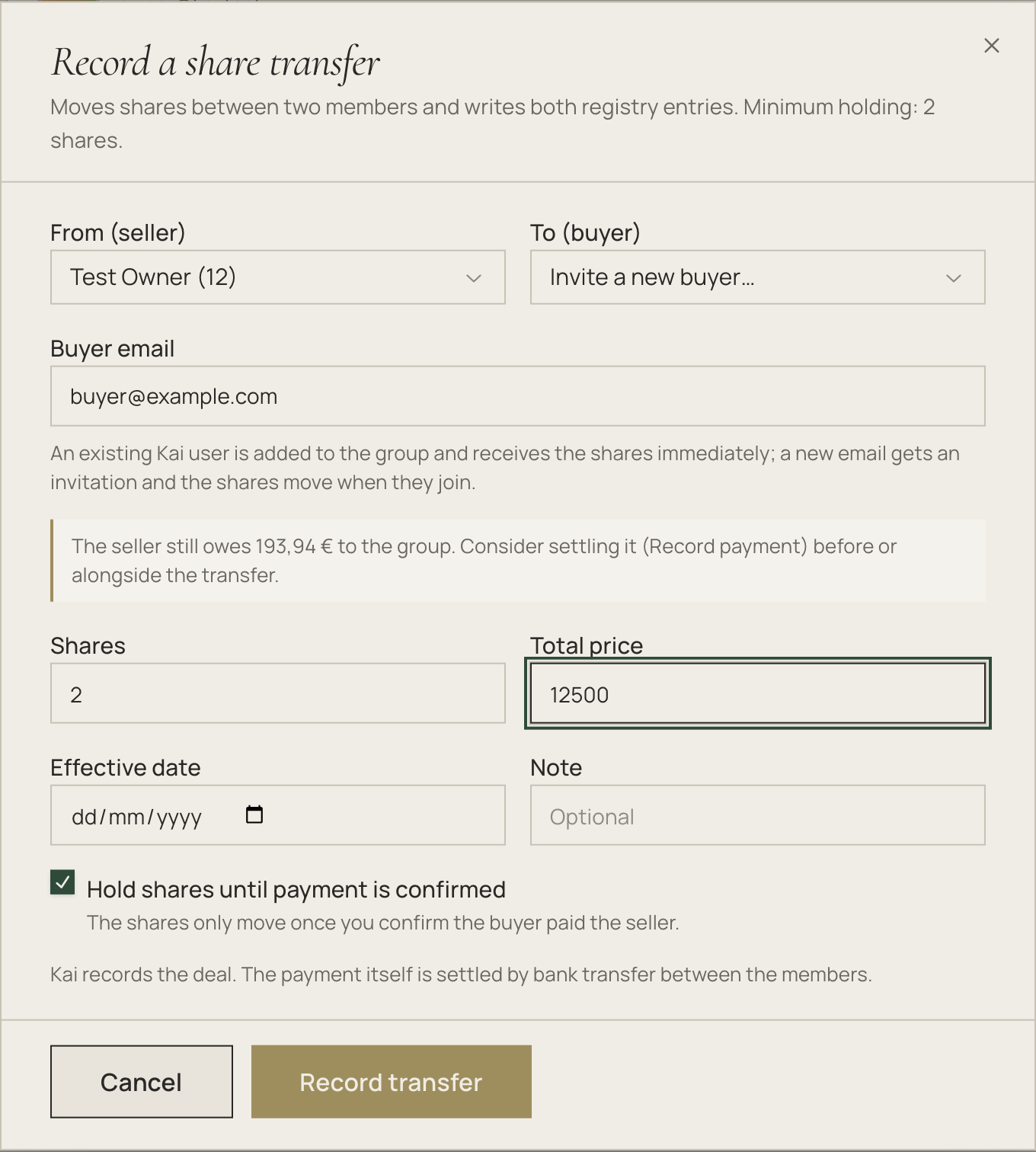
Kai records the deal; the money itself moves by bank transfer between seller and buyer.
Pending transfers wait in their own list until the buyer joins and the payment is confirmed. You can cancel one at any point (this also withdraws the buyer's invitation), and attach the signed agreement with the paperclip — it is stored in the group's Documents and noted on the registry extract.

The buyer waitlist
So a seller never starts from zero, the registry keeps a standing list of who wants to buy:
- Members click I want to buy shares (optionally how many, plus a note) and can withdraw any time
- Admins click Add prospect to record someone outside the group (name and email — the email is visible to admins only)
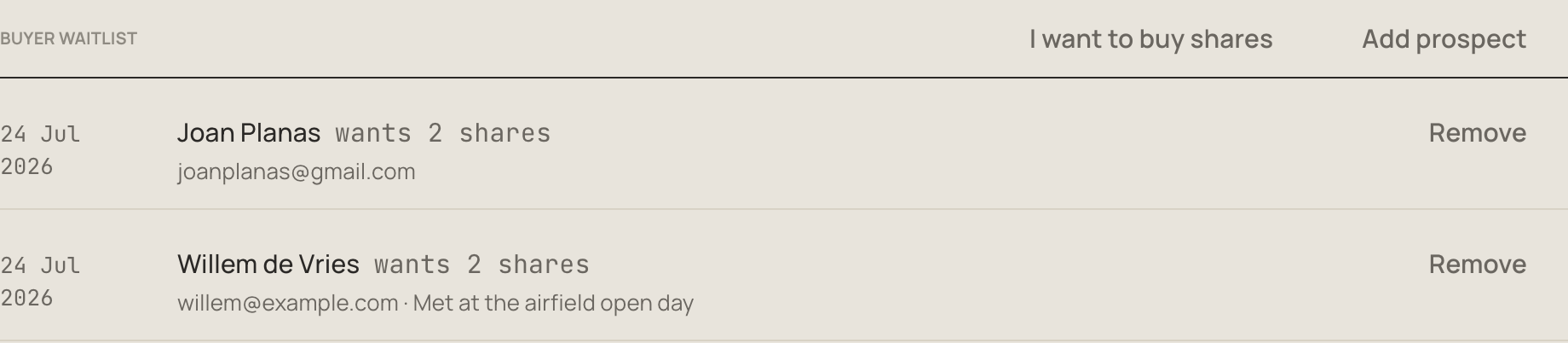
When you record a transfer, waitlist members are marked "wants to buy" in the buyer list, and outside prospects appear as ready-made buyer options. Entries tick off automatically when a matching transfer completes.
When a member leaves
Once their shares are sold (or if they never held any), click Remove on the member. If anything is outstanding, the exit settlement dialog opens instead of a plain confirmation:
- what they still owe (unpaid invoices, expense shares, membership fees — the current period prorated, an unpaid annual fee prorated to the exit date)
- what the group owes them (reimbursements, credit balance)
- their shares, with an optional capital return for the rare case where the group itself buys them back
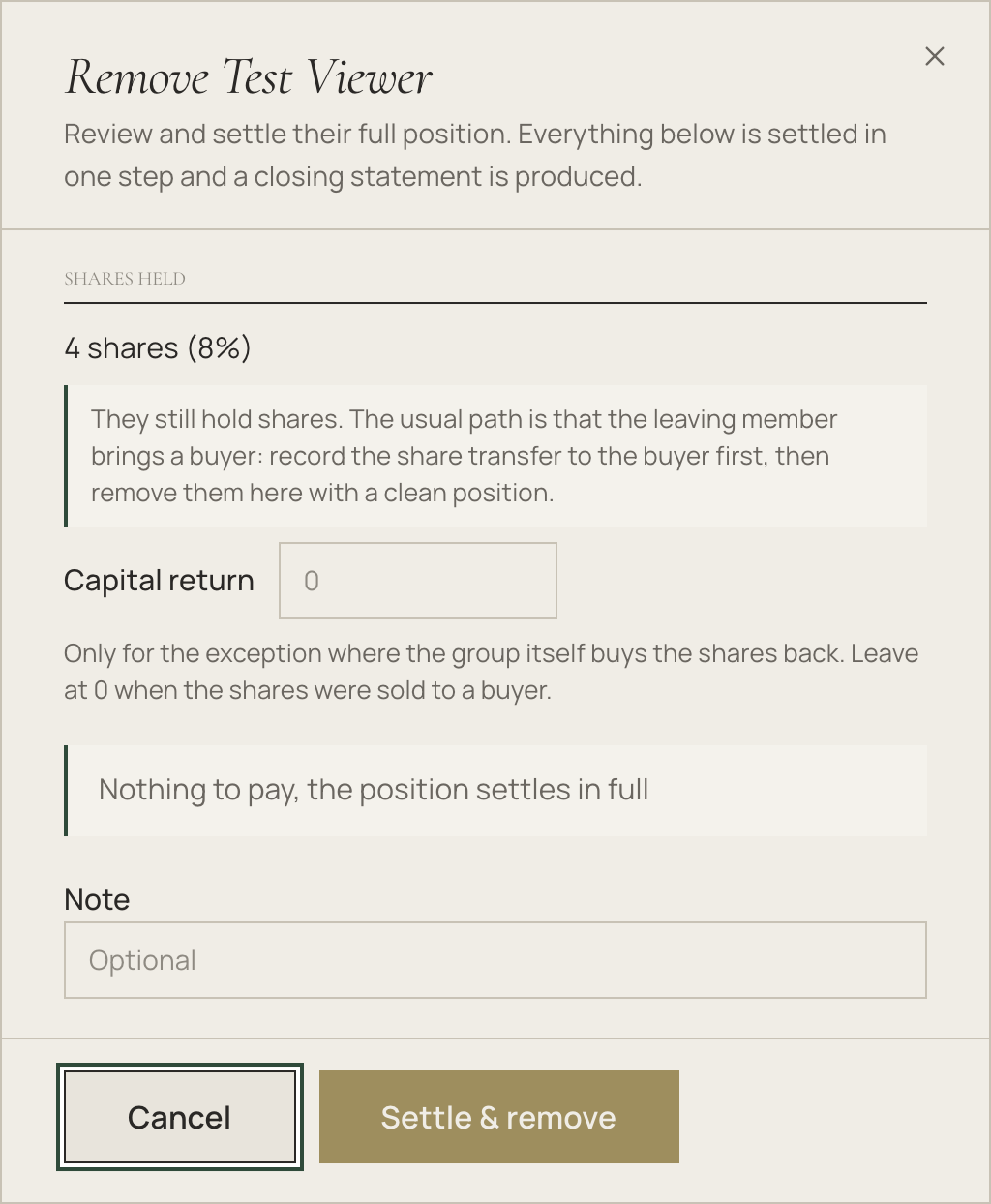
One click settles everything, closes the membership, and produces a closing statement PDF with signature lines for both parties. The member gets a notification that their position was settled.
The registry extract
Export PDF downloads the formal share register — current holdings, the full ownership history with prices, and a "signed agreement on file" note where paperwork was attached. This is the document a notary, bank or insurer asks for.
Good to know
- Every change writes an entry to the history automatically — editing a member, invitations being accepted, transfers, exits. Nothing needs to be maintained by hand
- Minimum-holding and whole-share rules are enforced everywhere, including direct edits in the member dialog
- Shares administration is web-only: the iOS and Android apps show each member's ownership, but recording transfers and exits happens at kai-sharing.com on a computer
Selling through the marketplace
Looking for a buyer? The shares marketplace gives your group a public listing page where outside prospects can express interest; they land on the buyer waitlist and the sale is then recorded here in the registry as usual.